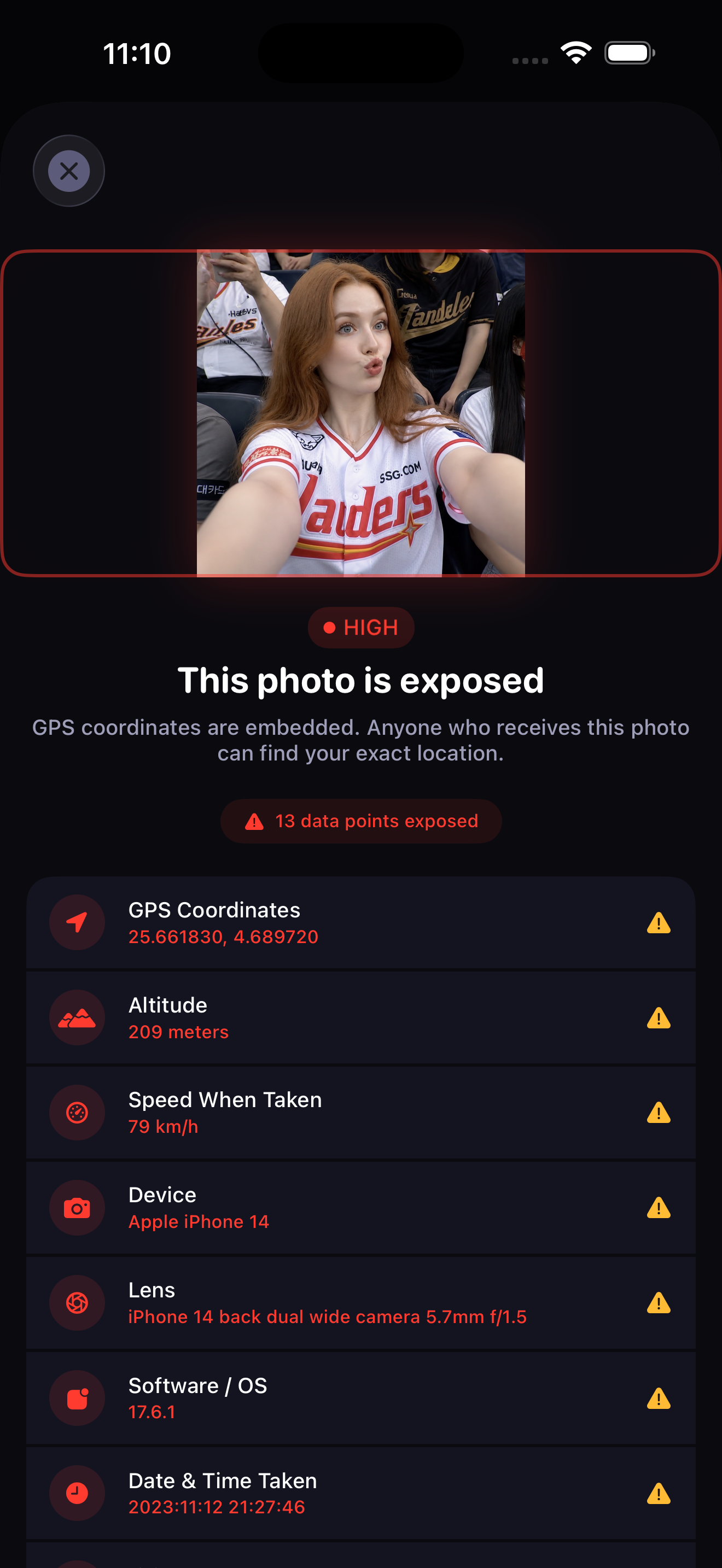
Every photo carries a GPS pin accurate to the meter, plus 24 other tags that fingerprint your exact device. Instagram strips what your followers see — not what it keeps, and not your DMs, AirDrop, or files. Skrim cleans every photo on-device, before it ever leaves your phone.
Metadata stripping was step one. v1.4 disguises the photo itself. Build a Live Photo from any video. Hide a real clip inside a Live Photo. Cover any photo — Live or still — with a decoy from your library, revertible any time. All on-device.
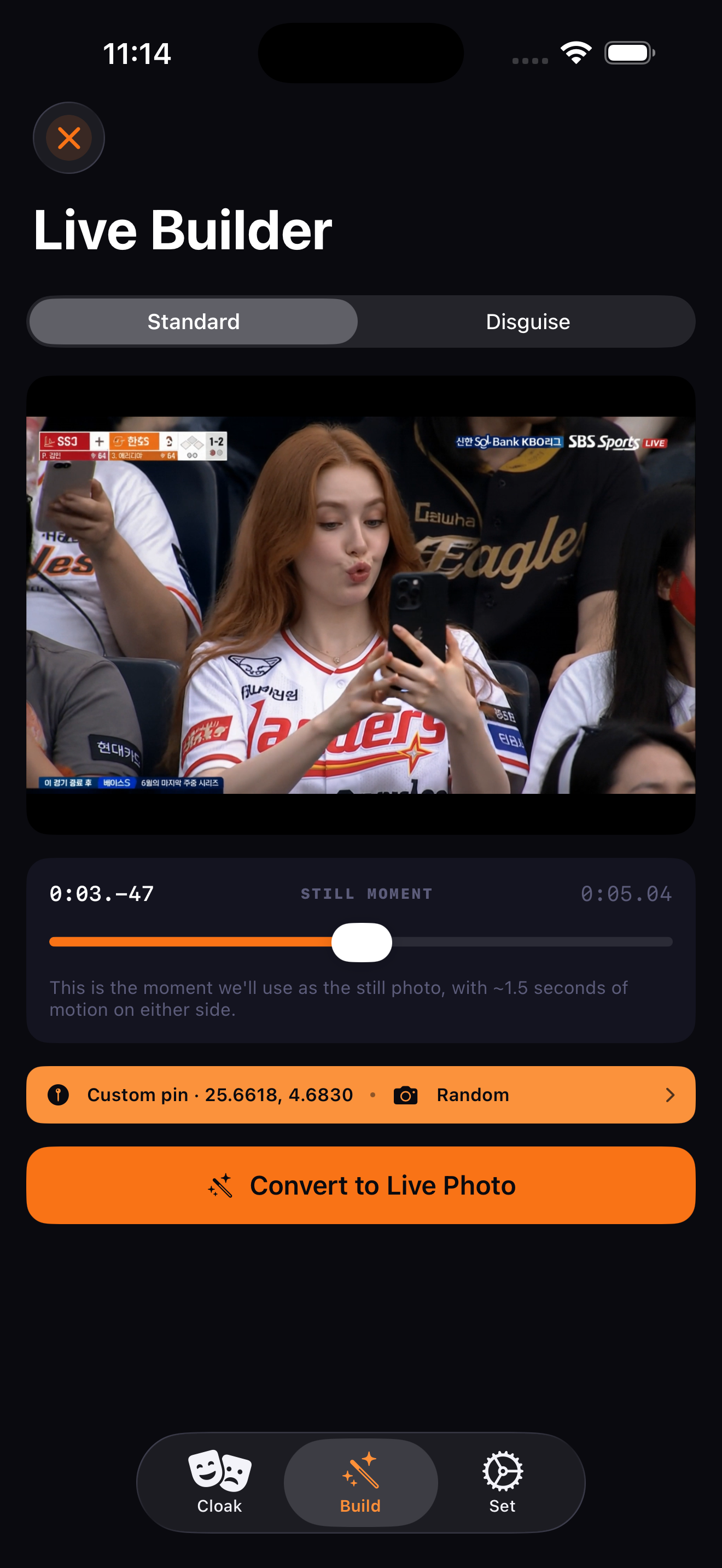
Pick a video. Scrub to the still you want. We package it as a paired Live Photo — location, device, date all under your control. Works on AI clips, screen recordings, drone footage, anything iOS can play.
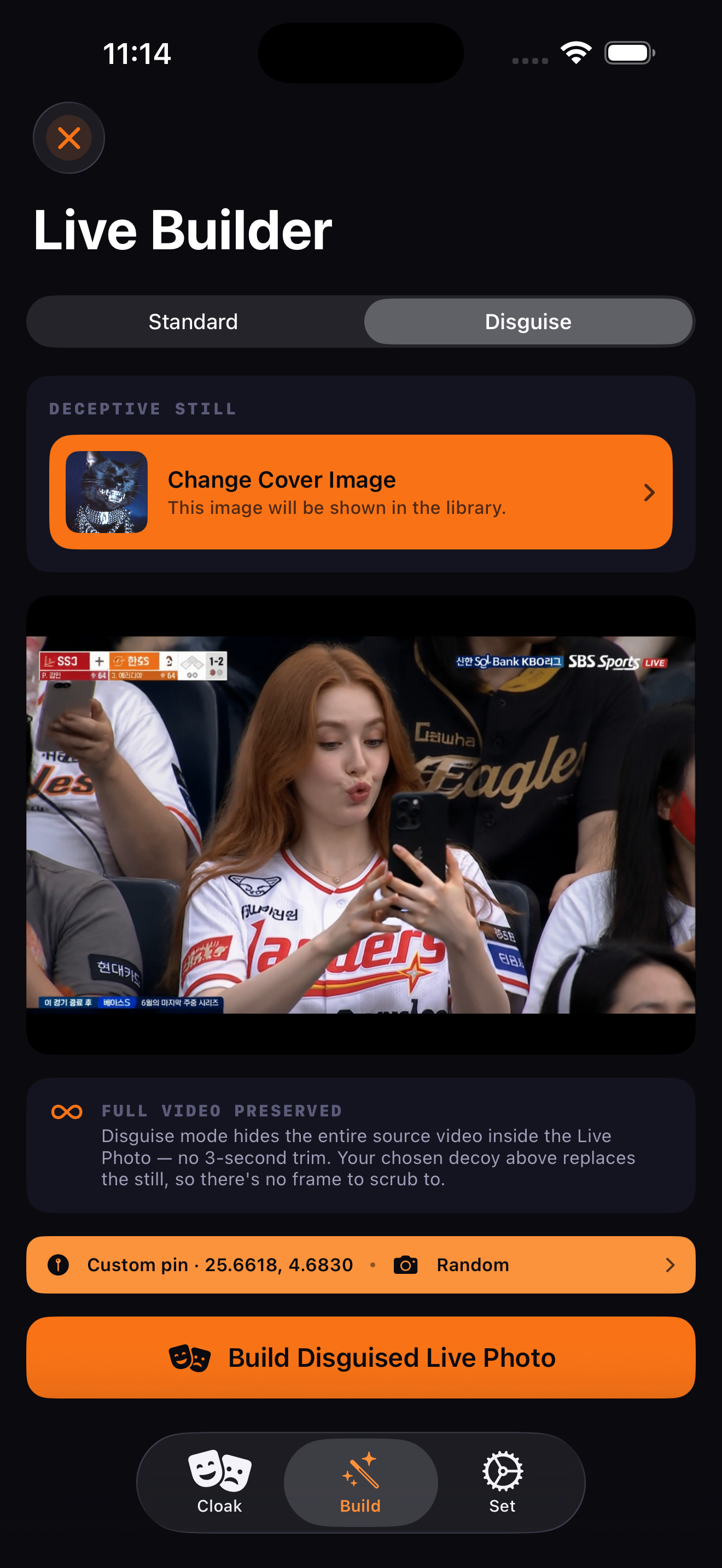
Replace the still frame of a Live Photo with a decoy from your library. Camera roll shows the disguise. Long-press reveals the motion. We walk you through turning "Live Off" in Photos so a swipe-through can't auto-play it.
Pro tip Want to keep the original clip? In Photos, open the Live Photo and Share → Save as Video before you turn Live off. The real recording lives on as a regular video in your library.
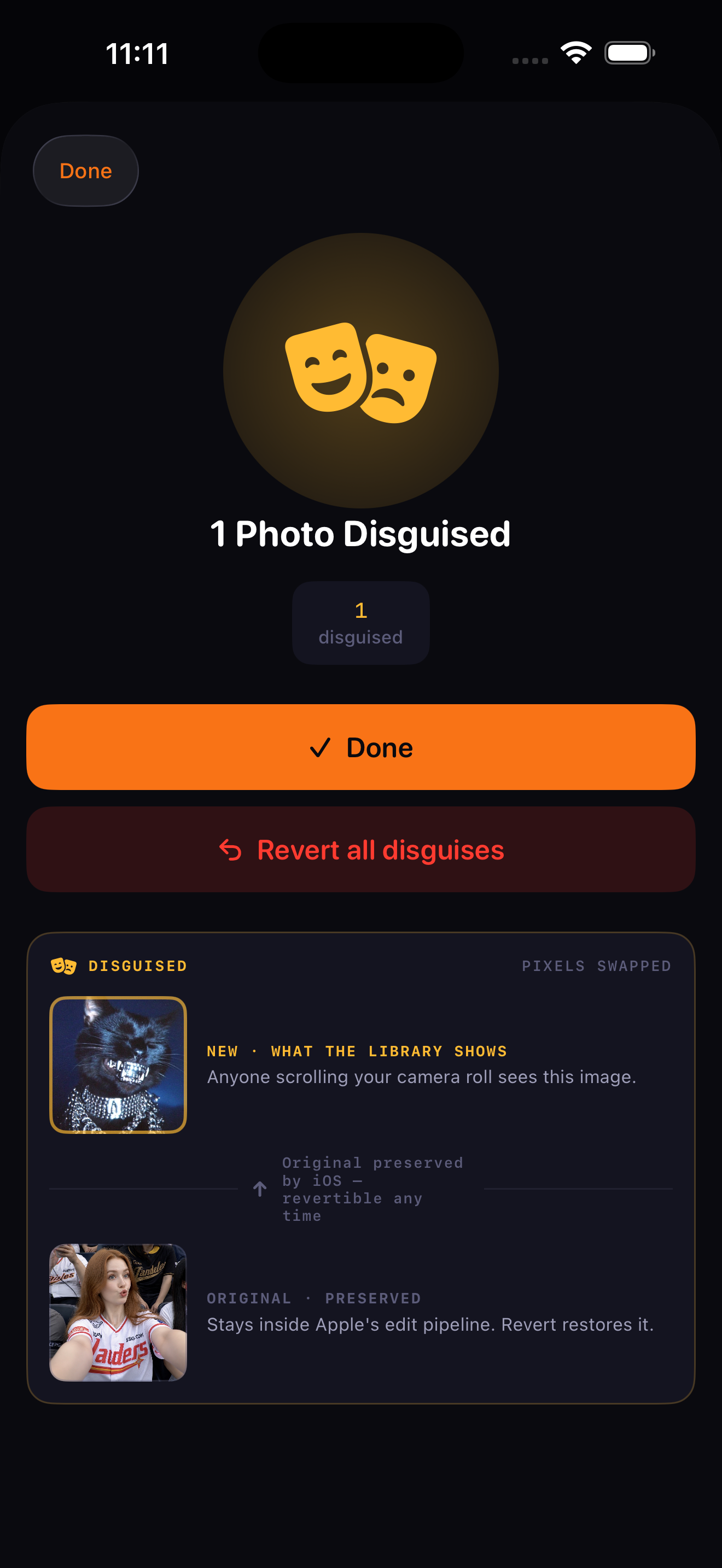
Cover any photo — Live or still — with a decoy from your library. Your camera roll shows the disguise. Skrim keeps the original inside the app and lets you revert any disguised photo back, in one tap, any time.
"Doesn't Instagram already strip my EXIF?"
Platforms strip what your followers see — not what they keep, and not where you go next.
Skrim is the protection for going off-road.
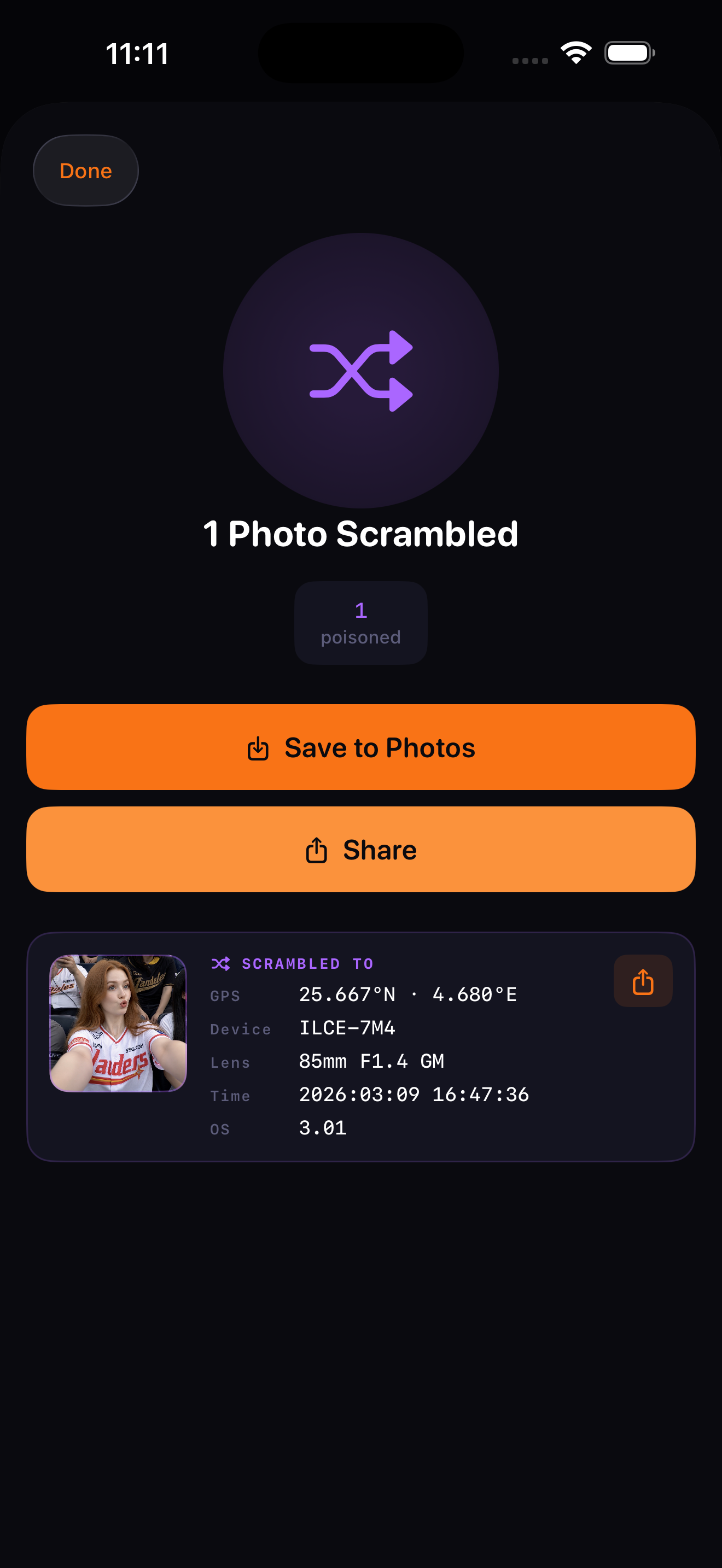
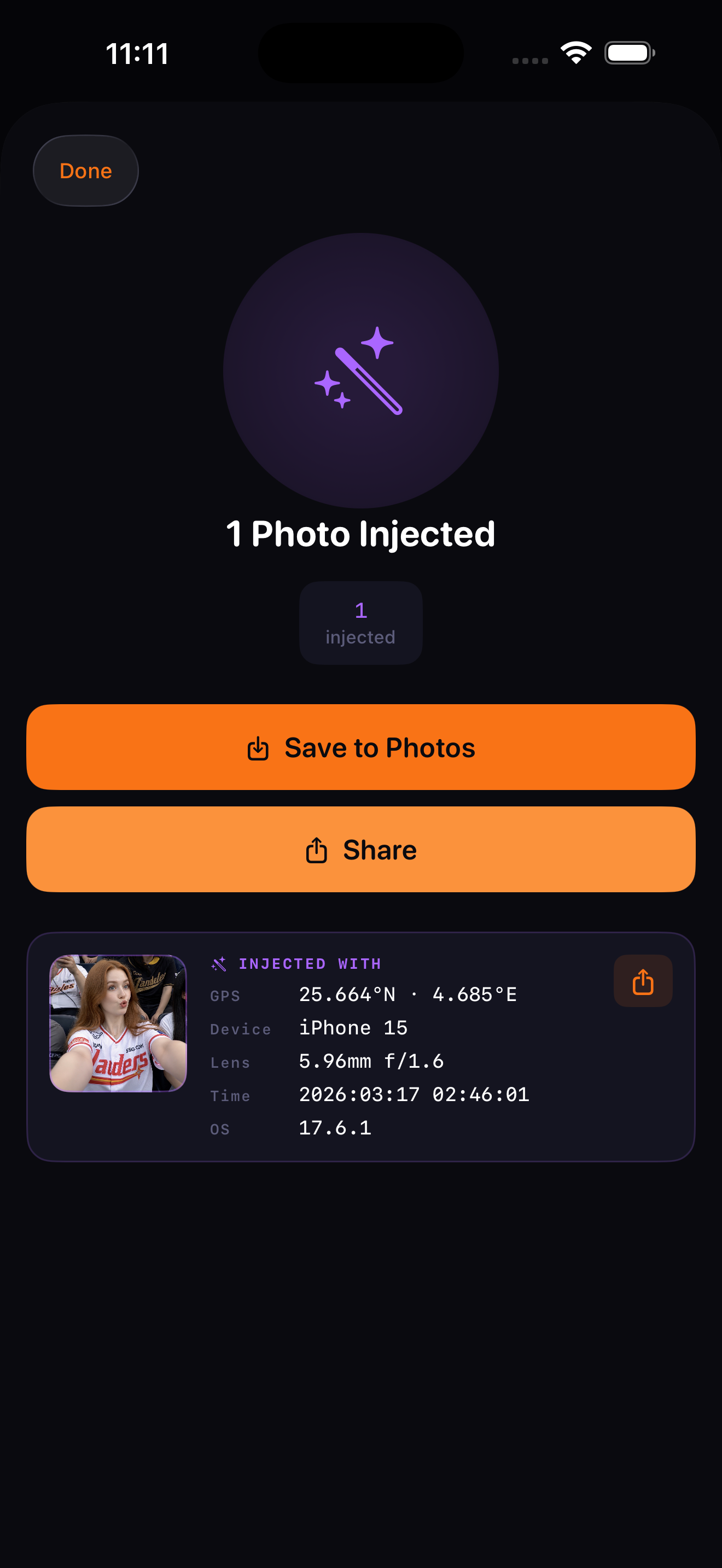
The Cloak tab is the photo-tools hub. Four modes, one toggle: Strip removes the hidden tags. Scramble replaces them with believable fakes. Inject adds tags to a clean photo. Disguise swaps the pixels — Live or still — with a decoy, revertible any time.
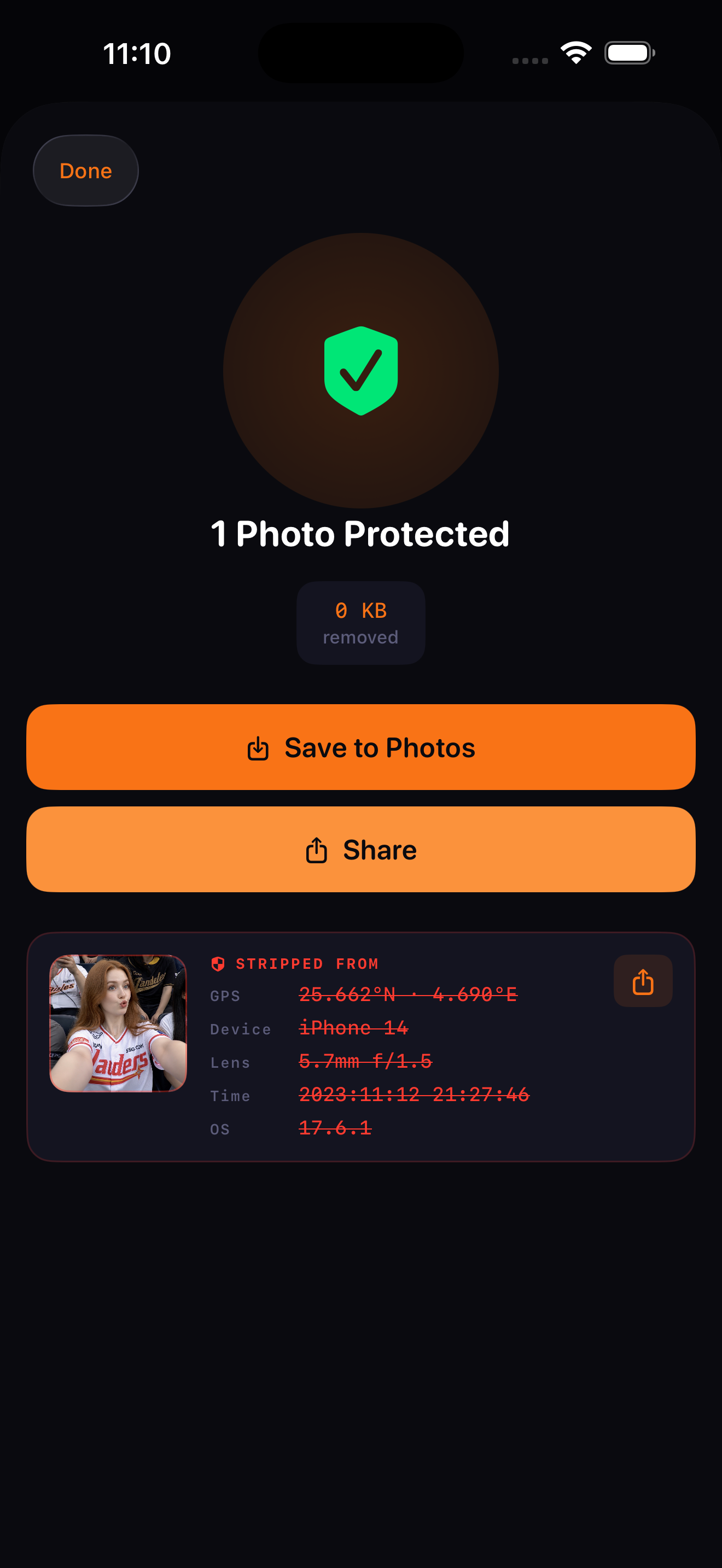
The original mode. Twenty-five hidden fields gone in one tap. Photo bytes identical, fingerprint gone. Free, 5 a day.
Photo had GPS, lens, serial. Now it has someone else's — different city, different device, different date. Same pixels.
Photo had no metadata. Now it reads as a regular phone shot from anywhere on earth. An empty EXIF block is its own tell — Inject fixes that.
Cover any photo — Live or still — with a decoy from your library. Camera roll shows the disguise. Original stays revertible, in-app, any time.
Photo Disguise doesn't make a copy. It overwrites the photo's pixels in place, in your library, using Apple's content-editing system — the same one Photos.app uses for its own edits. Which means the original is preserved by iOS and restorable at any time.
Open Cloak. Switch the mode toggle to Disguise. Pick the source photos you want to cover — one at a time or a batch of up to 50.
Tap the decoy chip. Pick any photo from your library — a landscape, a stock shot, anything. Those are the pixels your camera roll will show instead.
Tap Disguise N Photos. Skrim routes each source through Apple's content-editing API. Camera roll updates to show the decoy. The original is preserved by iOS, off-screen.
Open Skrim → Cloak → "Revert previously disguised" (or Set → Disguised photos). Or use Photos.app's three-dot menu → "Revert." Apple's system restores the unmodified original.
When an app edits a photo through Apple's content-editing API, iOS stores the unmodified original alongside the edit. Photos.app's own crop / filter / markup tools work this way. Disguise piggybacks on it: we never have to back up your original ourselves, and Apple's "Revert to Original" works on every disguised photo whether you tap it inside Skrim or inside Photos.
Left: what your phone sends. Right: what Skrim sends. Same pixels, no fingerprint.
GPS · 39.95°N 75.16°W
iPhone 15 Pro Max
Lens · 6.765mm f/1.78
Serial · F2LXXXR9
02:07:33 · iOS 18.2
+ 19 more tags
The photo bytes are identical. The hidden tags are gone. Recipient sees your image, never your fingerprint.
One purchase. Every feature, forever. No subscription. No upsell screens. No renewals.
No subscription. No monthly fee. No "lite" version. Buy once, own it on every iPhone you'll ever have. Family Sharing supported.
The privacy beat we're pitching. Every one of these outlets covers an app like Skrim every quarter — we're betting they cover ours.
Outlets shown are the press targets in the Skrim launch plan, not endorsements.
Clean every photo before it leaves your phone. $9.99 once. iOS only. No subscription.
Download on App StoreOn-device · No servers · No tracking